
Bitwig Studio 6 v6.1
Bitwig Studio 6 is an advanced digital audio workstation built for music producers, composers, electronic musicians, recording artists, and sound designers. The latest version introduces major workflow improvements, enhanced automation tools, a redesigned user interface, and new editing features designed to make music production faster and more intuitive.
From creating MIDI arrangements and recording audio to building complex automation and experimenting with sound design, Bitwig Studio provides a flexible environment for modern music creation.
One of the major improvements in Bitwig Studio 6 is its expanded automation system.
The introduction of Automation Clips brings automation into a workflow similar to working with Audio Clips and Note Clips. This makes it easier to create, organize, edit, and manage automation throughout your projects.
Automation curves can now be accessed in multiple ways, providing greater flexibility while mixing and arranging. DAW Software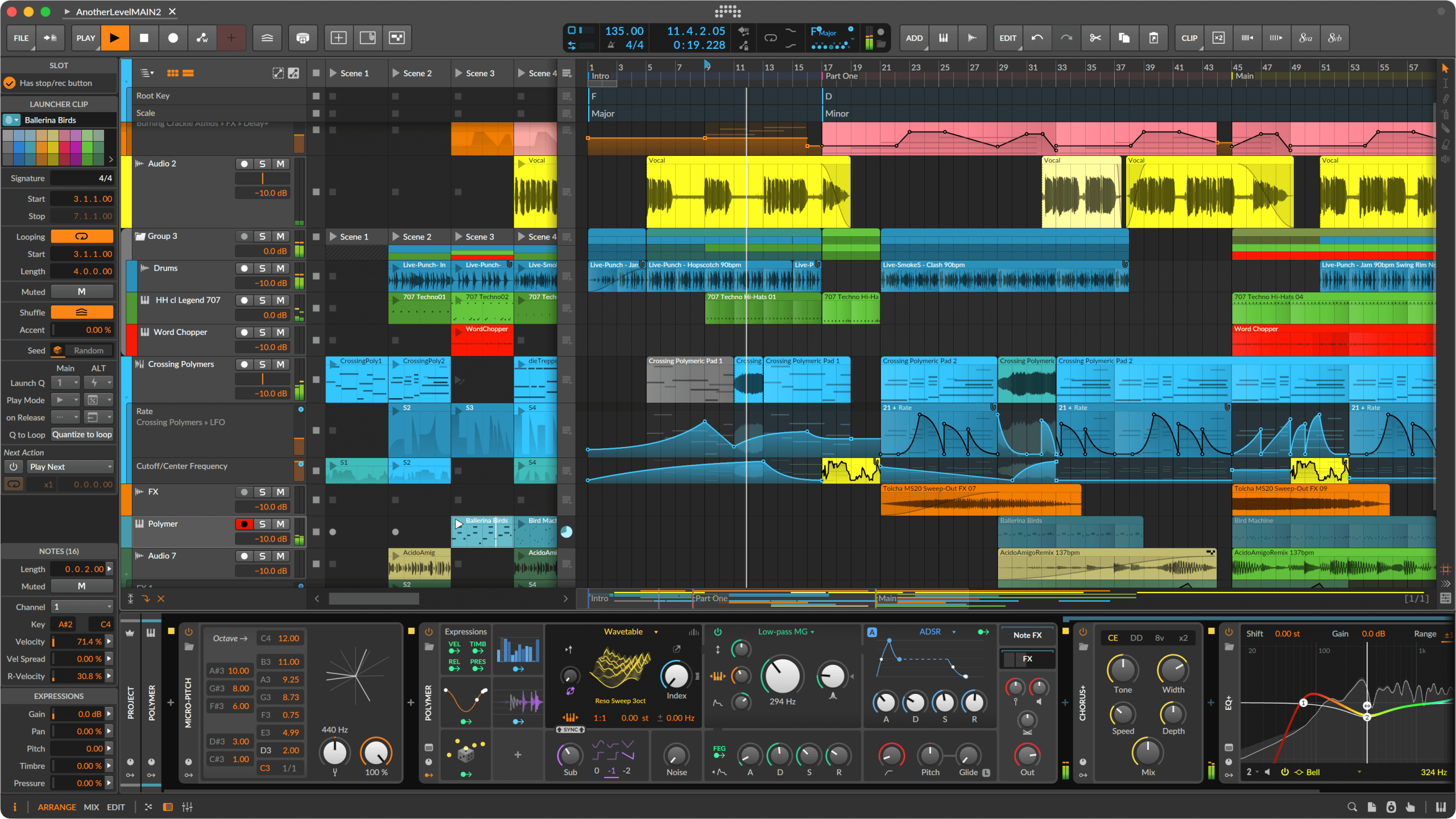
Automation Features Include:
- New Automation Clips
- Improved automation editing workflow
- More intuitive curve creation
- Enhanced gestures and automation behavior
- Automation mode with track overlays
- Access to recently used parameters
- New Detail Editor Panel
- Faster editing of parameter changes
These improvements make Bitwig Studio 6 particularly useful for producers working with dynamic effects, synthesizers, modulation, mixing automation, and creative transitions.
Bitwig Studio 6 introduces visual and interface improvements that help keep important tools accessible while maximizing workspace efficiency.
Editing tools are organized into a convenient tool palette on the right side of the interface, making them easier to access during production.
The appearance of the editing grid can also be customized independently within each editor through the editor settings menu.
Interface Improvements
- Redesigned editing tool access
- Right-side tool palette
- Customizable editor grids
- Improved project-wide visual controls
- Dynamic track headers
- More efficient use of screen space
- Responsive track resizing
Track headers now adapt more intelligently to available space. They can shrink when space is limited and display additional controls when more room is available.
The new Auto-Zoom option in the Arranger improves focus during editing.
When enabled, Bitwig Studio 6 can zoom in on the selected track while keeping the rest of your project in place. This makes it easier to focus on individual tracks without losing awareness of the overall arrangement.
Auto-Zoom is useful when working on:
- Large music projects
- Multi-track arrangements
- Detailed automation
- Audio editing
- MIDI programming
- Complex productions
The new Audition tool allows you to directly preview tracks and clips.
This helps producers quickly evaluate audio and musical ideas while working inside a project, reducing unnecessary workflow interruptions.
Auditioning can make arranging and editing faster when working with multiple clips, recordings, samples, and musical sections.
Bitwig Studio 6 includes a Step Input tool designed to make MIDI note entry faster and more intuitive.
Enter notes quickly and efficiently, including multiple notes at once, making it easier to create melodies, chords, harmonic parts, and MIDI sequences.
The Step Input workflow is particularly useful for:
- MIDI composition
- Chord creation
- Melody programming
- Piano roll editing
- Sequencing
- Detailed musical arrangements
Bitwig Studio 6 combines audio, MIDI, automation, editing, and creative production tools in one flexible DAW environment.
It is suitable for a wide range of music production workflows, including:
- Electronic music production
- EDM
- Hip-hop
- Pop
- Techno
- House
- Ambient music
- Cinematic composition
- Sound design
- Audio recording
- MIDI production
- Live performance