
FabFilter Pro-Q 4 v4.13
Unrivalled sound and workflow
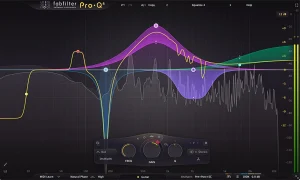
An equalizer is probably the tool you use most while mixing and mastering, so you need the best of the best. With FabFilter Pro-Q 4, you get the highest possible sound quality, a very extensive feature set, and a gorgeous, innovative interface with unrivalled ease of use.
FabFilter Pro-Q has one of the best GUIs of any EQ out there and sonically compares to the best.
Dave Pensado (Grammy Award-winning mix engineer)
Mixing and mastering features
Pro-Q 4 offers everything that a demanding engineer could wish for: top-quality linear phase operation in addition to the zero latency and unique Natural Phase modes, smooth dynamic and spectral EQ, per-band mid/side processing, full surround support (up to Dolby Atmos 9.1.6), an intelligent solo feature, optional Auto Gain and a built-in, fully customizable spectrum analyzer.
Effortlessly sculpt your sound
FabFilter Pro-Q 4 is designed to help you achieve your sound in the quickest way possible. Via the large interactive EQ display, you can add or sketch bands where you need them, enable dynamic EQ for any band, and select and edit multiple bands at once.
Unique features like Spectrum Grab, Full Screen mode and EQ Match will speed up your workflow even more. Try it yourself.
FabFilter goodies
Of course, you also get all the usual FabFilter goodies: perfectly tuned knobs, interactive MIDI Learn, undo/redo and A/B switch, Smart Parameter Interpolation for smooth parameter transitions, an extensive help file with interactive help hints, sample-accurate automation, advanced optimization and much more.
Instance List
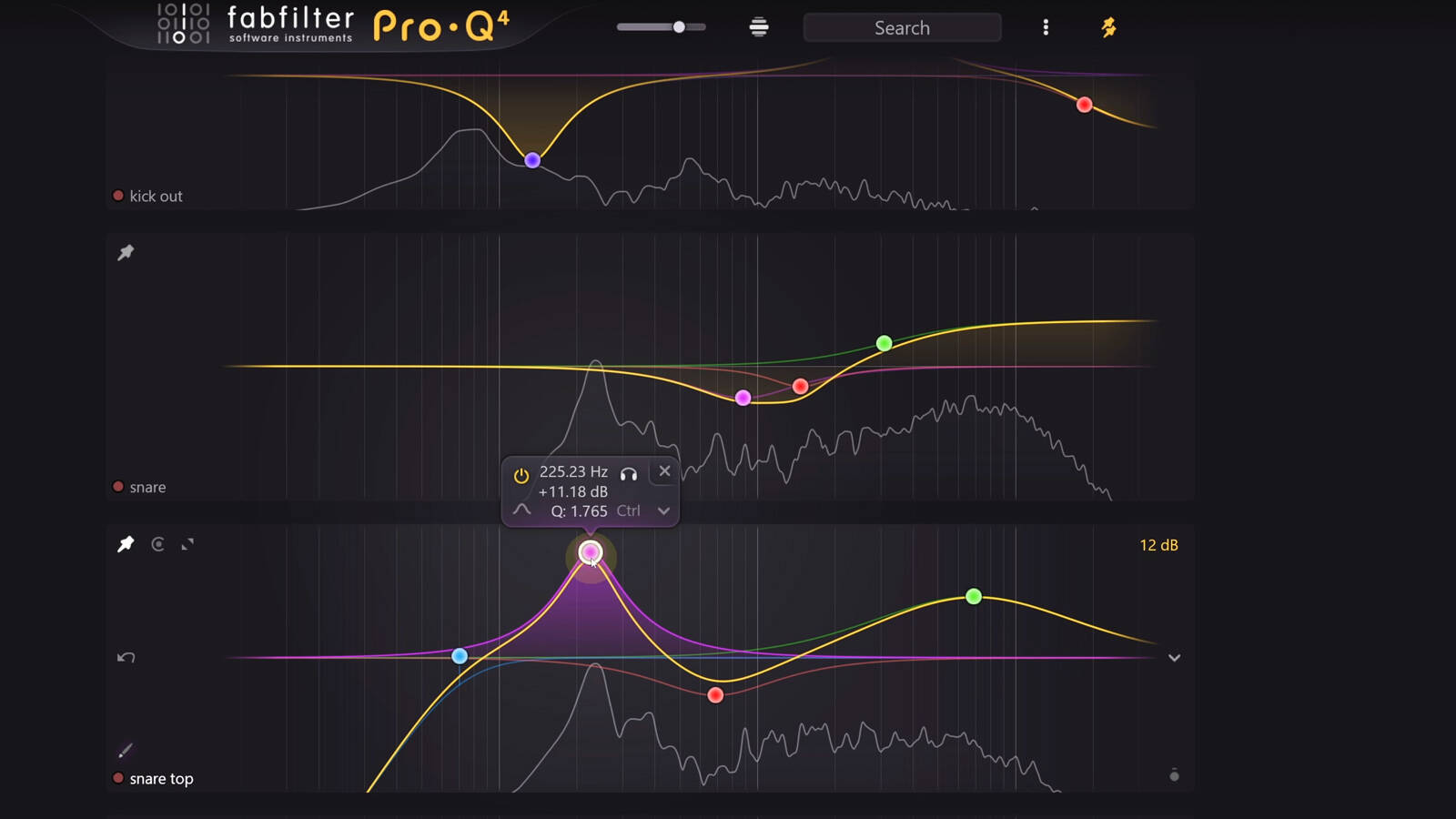
With Pro-Q 4, you can control any other plug-in instance in your session from a single interface, easily navigating the list by filtering, pinning and zooming as you like.
Once you know how to use it, the Instance List will be a huge time saver, making it much easier to setup initial EQing when starting your mix session.
Spectral dynamics processing
In Spectral dynamics mode, Pro-Q 4 doesn’t change the gain of the whole band, but triggers per specific frequency within that band when it exceeds the threshold, leaving other frequencies untouched. It’s a great way of treating varying problem frequencies in your audio.
Typically, you would need a separate, dedicated and often complex plug-in for this type of processing, but Pro-Q 4 makes the process simple to use and easy to understand, as a logical extension of normal dynamic processing.
EQ Sketch and usability
Setting up initial EQ settings in your equalizer often involves adding a few general bands to get started, like a low cut filter, a few bell filters and a high shelf, creating a general starting point. Wouldn’t it be great if you could draw that curve in one gesture? Well… now you can with EQ Sketch.
Key features:
- Professional mastering-grade EQ plugin with up to 24 bands, a huge range of filter types, 6-96dB/octave slopes for all filter types, plus Brickwall slopes for the High Cut and Low Cut filters.
- New: Draw response curves directly into the display with EQ Sketch.
- New: Target problem frequencies with Spectral Dynamics.
- New: Control all Pro-Q 4 instances in a session from a single interface with the Instance List.
- New: Bring analog-modelled color and warmth to your sounds with Character modes.
- New: Copy and Paste EQ curves between plugin instances.
- New: Full-featured preset browser, with tags, favorites, search and filter functions, and new factory presets.
- New: Fractional filter slope settings, so e.g. 3 dB/oct Low Cut or 14.2 dB/oct Bell filter can now be created.
- New: Apply phase adjustments with the All Pass filter type.
- New: Parameter editing directly in the EQ parameter value display, via dragging or mouse wheel scrolling.
- Improved: Fresh new design, with resizable GPU-accelerated graphical interface and full-screen mode.
- Improved: Context-sensitive curve creation previews.
- Improved: Attack and Release controls for Dynamic EQ curves.
- Improved: Fine-tune Dynamic EQ response with sidechain filtering.
- Improved: Greater precision for Linear Phase mode.
- Improved: Better analog matching in Zero Latency and Natural Phase modes.
- Dynamic EQ option for every band.
- Natural, Zero Latency and Linear Phase processing modes.
- Per-band Stereo, Left, Right, Mid or Side mode.
- Surround support, supporting up to Dolby Atmos 9.1.6 with flexible surround channel linking.
- EQ Match for imposing the tonal characteristics of one signal on another.
- Spectrum Grab: grab and adjust filters directly in the spectrum analyzer.
- Intelligent multiband selection and editing, and band solo mode.
- Powerful real-time spectrum analyzer with separate mastering (3/6dB) and mixing (12/30dB) display ranges.
- Piano Display switches the frequency scale to musical note values.
- Plus: All the usual FabFilter features: perfectly fine-tuned knobs and controllers, interactive MIDI Learn, undo/redo and A/B switch, Smart Parameter Interpolation for smooth parameter transitions, an extensive help file with interactive help hints, sample accurate automation, NEON and SSE optimization, and more.